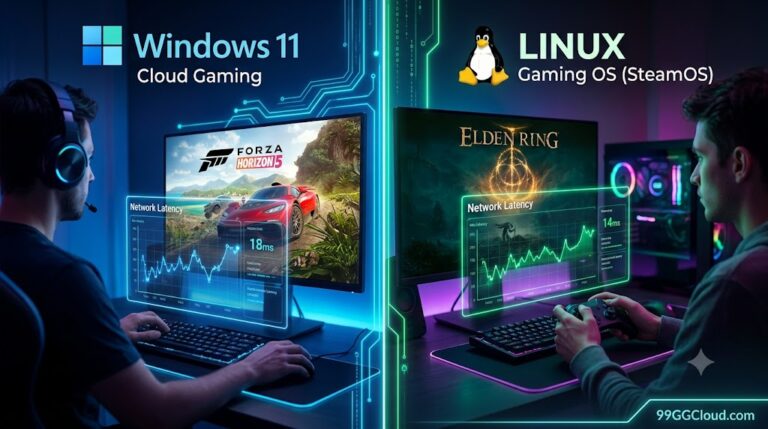

Windows 11 vs Bazzite OS cloud gaming is not decided by average FPS alone. For a Host PC, the important question is whether the operating system can capture the frame, hand it to a hardware encoder, transmit it, and return controller input without adding avoidable delay.
Short answer
Windows 11 is usually the lower-risk choice for a mixed-use Host PC because GPU drivers, capture paths, anti-cheat compatibility, and streaming tools are more consistently documented. Bazzite can be an excellent low-maintenance gaming host, particularly on supported AMD hardware, but its result depends more heavily on the exact image, compositor, capture method, encoder, and GPU driver.
Neither operating system has a universal encoding-latency advantage. The encoder generation, frame pacing, capture path, network route, and client decoder can outweigh the OS label. Without matched hardware and repeated measurements, any claim that one platform is “always faster” is not credible.
Where Host PC encoding latency comes from
Remote play latency is a chain, not one number:
- Game simulation and rendering produce a finished frame.
- The operating system and streaming server capture that frame.
- The hardware encoder compresses it into H.264, HEVC, or another supported format.
- The network carries the video to the client.
- The client decodes and displays the frame while sending controller input back.
“Encoding latency” is only the compression stage. A fast encoder cannot compensate for a poor Wi-Fi route, queue buildup, packet loss, or a client that adds a large display buffer. Conversely, a slightly different capture path can make an otherwise identical GPU feel slower.
What can be measured
- Capture-to-encode time and encoder queue depth.
- Network round-trip time, jitter, and packet loss.
- Decode time, frame pacing, and total glass-to-glass delay.
What is not the same metric
- Game FPS is not stream latency.
- Ping to a game server is not cloud-streaming latency.
- GPU utilization does not prove that encoding is the bottleneck.
Windows 11 vs Bazzite: practical performance differences
Windows 11: predictable tooling and broad compatibility
Windows has mature vendor driver stacks and several established capture and streaming paths. Microsoft documents a D3D12 video-encoding API designed for GPU-accelerated encoding and game-streaming scenarios. OBS also documents hardware encoding through NVENC, AMD AMF, and Intel Quick Sync on both Windows and Linux.
That does not make every Windows stream faster. Background capture utilities, overlays, HDR conversion, hybrid-GPU routing, and driver updates can add contention. A clean host with one selected encoder, a fixed refresh rate, and unnecessary overlays disabled is more important than the Windows version number by itself.
Bazzite: a focused gaming host with more variables
Bazzite is built around a gaming-first Linux experience and can reduce desktop overhead for a dedicated host. Its hardware compatibility guidance requires Vulkan 1.3-capable graphics for the general gaming path and notes that AMD hardware is the preferred route for Steam Gaming Mode, while NVIDIA support has more caveats.
The capture route matters especially on a Bazzite Deck image. Bazzite’s Sunshine documentation says Game Mode uses the gamescope microcompositor and that KMS capture is required there; the Flatpak Sunshine package does not support KMS capture. Desktop Mode can use a different capture route. A technically correct installation can therefore have a different latency profile from another Bazzite setup.
| Area | Windows 11 | Bazzite / SteamOS-style Linux |
|---|---|---|
| Driver and app coverage | Broad, familiar, and usually easier to troubleshoot | Strong on supported hardware; more dependent on GPU and image |
| Hardware encoding | NVENC, AMF, and Quick Sync are established options | Available when the driver and application path expose them |
| Game Mode capture | Several mature desktop capture paths | gamescope/KMS details can affect Sunshine configuration |
| Best fit | Mixed gaming, streaming, creator, and development workloads | Dedicated gaming host, especially with known-good AMD hardware |
| Evidence status | No matched independent latency result was supplied for this article | |
Sources: Microsoft D3D12 video encoding, OBS hardware encoding guidance, Bazzite Sunshine setup, and Bazzite hardware compatibility.
How to test encoding latency fairly
Use the same Host PC hardware, game build, resolution, refresh rate, bitrate, codec, encoder preset, client, display, and network. Install one OS at a time on the same SSD or clone. Keep the game settings identical and record the driver, Bazzite image, Windows build, Sunshine or Steam Remote Play version, and encoder name.
- Test on wired Ethernet first, then repeat on the target Wi-Fi setup.
- Run a repeatable scene for several minutes, not only a menu or static benchmark.
- Record average and 95th-percentile frame time, dropped frames, jitter, packet loss, encode time, decode time, and total input-to-display delay when the tool exposes them.
- Repeat the run at least three times per OS and report the spread, not only the best run.
- Repeat at 1080p60 and the intended higher-resolution profile. A bitrate or codec change can alter queue behavior.
Important limitation
This article provides a decision framework, not a claimed lab result. The official sources document capabilities and known setup constraints; they do not establish a universal Windows-versus-Bazzite latency ranking.
Which OS should you choose?
Choose Windows 11 when the Host PC must also run creator software, browser-based production tools, peripherals, games with strict anti-cheat requirements, or a wide range of capture utilities. It is the safer baseline when you want the fewest Linux-specific troubleshooting branches.
Choose Bazzite when the machine is primarily a gaming host, your GPU is well supported, you are comfortable validating Sunshine and gamescope capture, and you value an appliance-like interface. AMD users are more likely to have a straightforward Steam Gaming Mode path; NVIDIA users should verify the exact Bazzite image and capture behavior before switching a production host.
For streamers and developers, the practical answer may be a dual-boot or separate host: Windows for maximum application compatibility and Bazzite for a controlled gaming image. Measure the workflow you actually use. The smallest encode number in isolation is not automatically the best experience if it brings dropped frames, unstable capture, or missing tools.
FAQ
Is Bazzite faster than Windows 11 for cloud gaming?
Not universally. Bazzite can be very responsive on a supported, well-configured gaming host, but the result depends on hardware, capture mode, encoder, driver, and network conditions. A matched test is required.
Does lower encoding latency always mean lower input latency?
No. Encoding is one stage. Capture, network travel, client decoding, display processing, and controller return time can dominate the final input-to-display result.
Which Linux hardware is the safer starting point for Bazzite Game Mode?
Bazzite’s compatibility guidance identifies modern AMD graphics as the preferred path for Steam Gaming Mode and notes major caveats for NVIDIA. Check the current hardware guidance for the exact GPU before migrating.