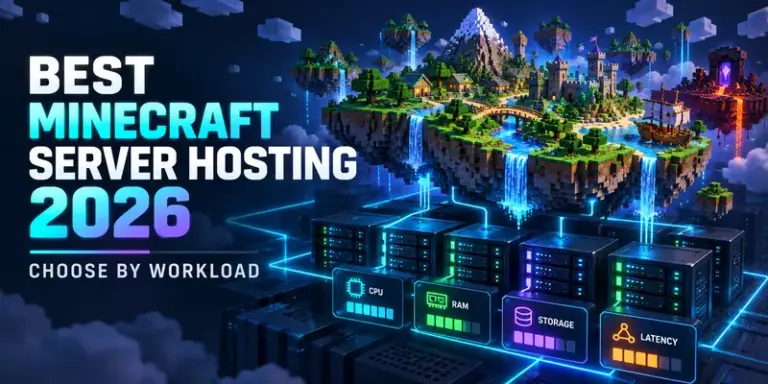


The best Minecraft host is the one that matches your server workload, player pattern, and tolerance for maintenance. A small vanilla world, a modded community, and a creator server need very different infrastructure.
Quick verdict
Best Minecraft server hosting 2026 is not a single provider or universal RAM number. For a small vanilla world, prioritize a nearby region, reliable backups, and a simple control panel. For Paper or plugin-heavy communities, prioritize strong single-thread CPU performance and fast storage. For large modpacks, spend on memory headroom, NVMe storage, and recovery tools. For Bedrock cross-platform play, confirm official Bedrock Dedicated Server support rather than assuming a Java plan is interchangeable.
- Choose Java or Bedrock first; the software and player compatibility differ.
- Size for simulation load, loaded chunks, entities, plugins, and peak players, not RAM marketing alone.
- Buy operational safety: automated backups, restore access, monitoring, migration tools, and DDoS protection where appropriate.
- Check the actual server region and route. A powerful host far away can feel worse than a modest host nearby.
Start with the Minecraft workload
Define what the server must do before comparing plans. Minecraft hosting can mean a private survival world for four friends, a public minigame network, a modded pack with long startup times, or a persistent creator community. Each creates a different bottleneck.
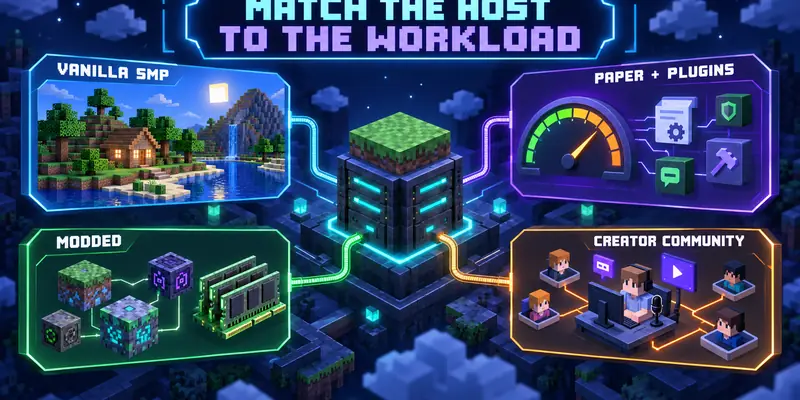
Vanilla survival or SMP
A small private world needs predictable CPU time, enough memory for the world and player count, SSD storage, and easy backups. Premium panels and add-ons may add cost without solving the real problem.
Paper, plugins, and minigames
Paper can improve performance, but plugins still compete for the main server thread. Look for modern high-frequency CPU performance, profiling access, and controls for view and simulation distance.
Modded or technical packs
Modded servers often need more memory and patience during startup, chunk generation, and updates. NVMe helps with world saves and loading, while version-locked backups protect against broken mod changes.
Creators and communities
Streamers and community owners need scheduled restarts, permissions, auditability, backups, moderation tools, status visibility, and a plan for sudden traffic. The cheapest plan may be expensive in lost sessions.
Which specifications actually matter?
CPU: prioritize consistent single-thread performance
Minecraft server ticks are not rendering frames. Many tasks depend heavily on a primary thread, so modern per-core performance can matter more than a high advertised core count. Extra cores help with operating-system work, plugins, backups, and parallel services, but do not automatically make one world scale linearly.
RAM: leave headroom, then measure
RAM is used by the Java process, loaded chunks, entities, plugins, mods, and the operating system. Allocating every available gigabyte leaves no room for the host or monitoring tools. Start from workload guidance, watch memory pressure and garbage collection, and scale only when measurements show a need.
Storage and network
Fast storage helps startup, world saves, backups, and chunk access, but cannot fix a CPU-bound tick loop. Ask whether storage is local NVMe, shared storage, or an unspecified SSD. Players need a stable route, not only a large port speed. Compare the host region with your real player base and consider jitter, packet loss, peering, and DDoS handling. Our network readiness guide explains why idle latency, loaded latency, and route quality are separate signals.
Java version and server software
Match the runtime to the server version. Paper documentation lists Java 25 for 26.1 and newer, Java 21 for 1.20 to 1.21.11, and earlier versions for older releases. Minecraft’s official Java server page also says Java Edition requires a compatible Java runtime. Confirm the host lets you select or upgrade it.
Compare hosting models by responsibility
| Model | Best fit | Main advantage | Main trade-off |
|---|---|---|---|
| Managed Minecraft host | Players and small communities | Fast setup, panel, backups, support | Less control; resource limits vary |
| Virtual private server | Developers and operators | Root access and flexible services | You own security, updates, tuning, and recovery |
| Dedicated server | Large communities or multiple worlds | Predictable hardware isolation | Higher cost and more operations |
| Home server | Experimenters and private groups | Maximum control and no panel fee | Power, upload, uptime, exposure, and backup duties |
Managed hosting is the sensible default when you want to play rather than maintain Linux. A VPS fits custom networking, deployment automation, or several services. Dedicated hardware makes sense when noisy neighbors or sustained load are a measured problem. Home hosting can work, but power failure, ISP changes, port exposure, and off-site backups are part of the design.
For the broader decision between cloud gaming, Cloud PC, self-hosting, and game servers, use the 9GG CLOUD operating-model guide. A Minecraft game server runs the shared simulation; it is not the same workload as streaming a rendered game from a remote GPU.
Pre-purchase checklist
- Define edition, version, player count, peak concurrency, modpack or plugin list, view distance, and expected world size.
- Choose the nearest practical region for most players, then check route quality during normal play hours.
- Confirm CPU details, RAM limits, storage type, backup retention, restore process, and whether backups consume plan quota.
- Verify Java runtime selection for Java Edition or official Bedrock Dedicated Server support for Bedrock Edition.
- Ask how migrations work. You should be able to download the world, configuration, and logs without being trapped in a proprietary panel.
- Test a restore before inviting a large community. A backup that cannot be restored is only an assumption.
One important distinction
Do not compare maximum-player claims as if they were benchmarks. Player behavior, redstone, entities, chunk loading, plugins, mods, render settings, and tick targets change the result. Treat capacity figures as provider claims unless you have comparable measurements.
Official references and limits
Review the official Java server download, official Bedrock server requirements, and Paper getting-started documentation before locking a version. Minecraft explains that compatible Java, firewall, and network configuration may be required; Paper documents its Java-version matrix and startup configuration.
This is a workload-based buying guide, not an independent provider benchmark. No provider rankings, prices, uptime figures, or hands-on test results are claimed because comparable current test data was not supplied.
FAQ
Is the cheapest Minecraft hosting plan the best choice?
Only when its CPU, region, backups, and resource limits match your workload. A low entry price can become poor value if restores, storage, support, or upgrades are expensive.
How much RAM does a Minecraft server need?
There is no safe universal number. Vanilla, Paper, plugins, mods, world size, and player behavior all change memory use. Start with guidance, reserve host headroom, and observe the running server before scaling.
Is Paper better than Vanilla?
Paper is often practical for configurable Java servers because it adds performance and administration features, but compatibility and plugin behavior still need checking. Vanilla remains appropriate when fidelity and simplicity matter most.
Should I use a VPS or managed host?
Choose managed hosting when you value quick setup and support. Choose a VPS when you can own patching, security, monitoring, backups, and incident recovery.